
Onboarding Wizards · July 8, 2026
Connecting to TorlyAI Dashboard: Onboarding and Data Setup for Visa Insights
Explore how to connect and configure your TorlyAI dashboard for real-time visa application analytics and streamlined onboarding.

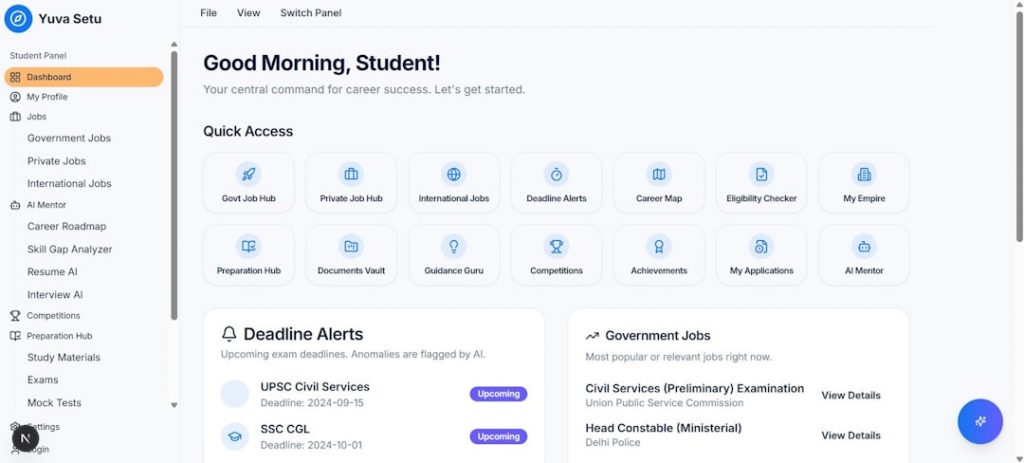
Welcome to the Next-Level Onboarding Experience with the Guided Onboarding Wizard
Imagine logging into a dashboard that knows exactly what you need to kickstart your Innovator Founder Visa application. No more guesswork, endless forms or late-night Google searches. That’s where the Guided Onboarding Wizard comes in: it takes you from zero to a fully configured TorlyAI Dashboard in minutes, ready to feed you real-time visa analytics and tailored recommendations.
Forget labyrinthine menus and cryptic instructions. Our step-by-step flow guides you through account creation, project setup and data integration, all underpinned by Torly.ai’s advanced AI reasoning models. Get started with our Guided Onboarding Wizard – the AI-Powered UK Innovator Visa Application Assistant and see how simple compliance and insights can be.
Why a Streamlined Onboarding Matters
Onboarding can make or break your user experience. If you’ve ever abandoned a platform because the first steps felt like running a marathon, you’ll appreciate why simplicity is key. A guided approach helps you:
- Reduce errors from the outset
- Speed up your learning curve
- Unlock full platform capabilities without frustration
The TorlyAI Dashboard isn’t just another portal. It’s an intelligent ally that knows visa rules, endorsement criteria and business viability standards. By using a guided onboarding flow, you ensure every input is correct, every document is complete and every metric is ready for analysis.
Common Onboarding Hurdles
Many visa platforms thrust you into a sea of blank fields, expecting you to know which box means what. Typical pain points include:
- Unclear field descriptions
- Missing guidance on required attachments
- No instant validation of your entries
This often leads to incomplete profiles, stalled applications and wasted hours hunting support teams for help. TorlyAI removes that guesswork.
Benefits of the Guided Onboarding Wizard
Our onboarding wizard brings you:
- Instant eligibility checks against UK Innovator Visa standards
- Smart prompts for applicant background data and business plan details
- Real-time compliance validation with home office rules
With Torly.ai’s evaluation-driven AI at your side, you see immediate red flags and action tips. You’ll know if your business idea needs more market or tech details before a single endorsement request goes live.
Step-by-Step Guide to Connect Your Data to the TorlyAI Dashboard
Let’s dive into the exact steps you’ll follow once you’re ready to plug your visa insights into TorlyAI.
1. Create Your TorlyAI Account
Start by visiting the TorlyAI homepage. Click “Sign up” and choose to register with your email. You’ll confirm your address via a quick verification link. Once done, you’re in.
2. Launch the Guided Onboarding Wizard
Upon first login, the system automatically prompts the Guided Onboarding Wizard. This intuitive flow takes you through:
- Selecting your visa type (Innovator Founder Visa)
- Choosing your endorsing body
- Scanning or entering your unique project code
If you ever need to restart, head to Settings → Onboarding to relaunch the wizard.
3. Input Business Idea Details
The wizard asks for your business concept overview:
- A succinct pitch highlighting innovation
- Market opportunity and scalability projections
- Key technologies or partnerships
Torly.ai’s Business Idea Qualification agent then scores your concept, pointing out strengths and gaps.
4. Add Applicant Background
Next you detail founder credentials:
- Professional experience
- Past startup successes or roles
- Academic or research achievements
This feeds into the Applicant Background Assessment, offering dynamic feedback on how to boost your endorsement likelihood.
5. Upload Supporting Documents
You’ll be guided to attach:
- Executive summary or pitch deck
- CV and references
- Legal or financial certifications
The wizard validates formats and flags missing sections in real time.
6. Review and Confirm
A final review screen summarises your inputs. You can:
- Edit any section on the spot
- Download a consolidated PDF for your records
- Submit for an initial AI-powered gap analysis
Once confirmed, Torly.ai starts feeding your dashboard with tailored insights.
Confirming Your Dashboard Works
Within a few minutes of completing onboarding, you’ll see metrics populate:
- Overall endorsement readiness score
- Business viability sub-scores
- Actionable recommendations in a priority queue
Check that each chart updates with fresh data. If anything looks off, revisit the relevant step in the wizard or consult the live chat for 24/7 AI support.
Analysing Your Visa Application Data in Real Time
Now that you’re hooked up, it’s time to explore. The TorlyAI Dashboard offers:
- Customisable widgets for each assessment dimension
- Trend analysis over time for your viability score
- Peer benchmarks against successful Innovator Visa apps
Use filters to focus on specific areas like market research quality or team composition. You can even export charts for your endorsement body meeting.
Halfway through your setup, you might want to revisit the wizard to add refined details. Try the Guided Onboarding Wizard to configure your real-time visa analytics if you need a quick tweak or fresh insights.
Advanced Tips for Visa Insights and Compliance
Beyond basic setup, TorlyAI offers extra features to sharpen your application.
Leverage AI Agents for Continuous Support
Our six specialised AI agents work round the clock:
- Compliance Validator confirms up-to-date Home Office rules
- Document Advisor checks your paperwork quality
- Plan Optimiser suggests tweaks for stronger financials
Integrate with Your Business Plan
Combine your dashboard insights with a professional plan:
- Export AI-enhanced business plans ready for EB review
- Merge TorlyAI data with your financial models
Build your Business Plan NOW to bridge insights and documentation seamlessly.
Go Desktop for On-the-Go Access
Need to work offline or prefer a desktop experience? Grab our desktop app for quick launches and local data sync. Get the TorlyAI BP Builder APP to draft your endorsement plan with 6 AI agents and streamline your preparation.
FAQ: Troubleshooting the Onboarding Wizard
-
How do I restart the onboarding?
Go to Settings → Onboarding Wizard and click “Restart”. -
Can I change my visa type mid-setup?
Yes, the wizard allows you to switch to the Innovator Founder Visa or other available options at any point before final review. -
What if I lose connectivity?
Your progress is saved automatically. Just log back in to pick up where you left off. -
Who can I contact for help?
Use the in-app chat for instant AI responses or request a call from a human visa specialist.
Conclusion: Your Path to Effortless Visa Readiness
Onboarding doesn’t have to be daunting. With Torly.ai’s Guided Onboarding Wizard, you get clarity, speed and AI-driven precision from day one. Whether you’re refining your business concept or polishing your documents, this wizard keeps you on track for Innovator Founder Visa success.
Start your journey with the Guided Onboarding Wizard today and transform your visa application process into a seamless, insight-driven experience.
