
Software Solutions · May 20, 2026
Local AI vs Cloud: How Torly.ai Desktop App Perfects Your Visa File Organisation
Learn how Torly.ai’s desktop application offers privacy-first AI to organise, tag and structure your Innovator Visa documents beyond cloud-based solutions.

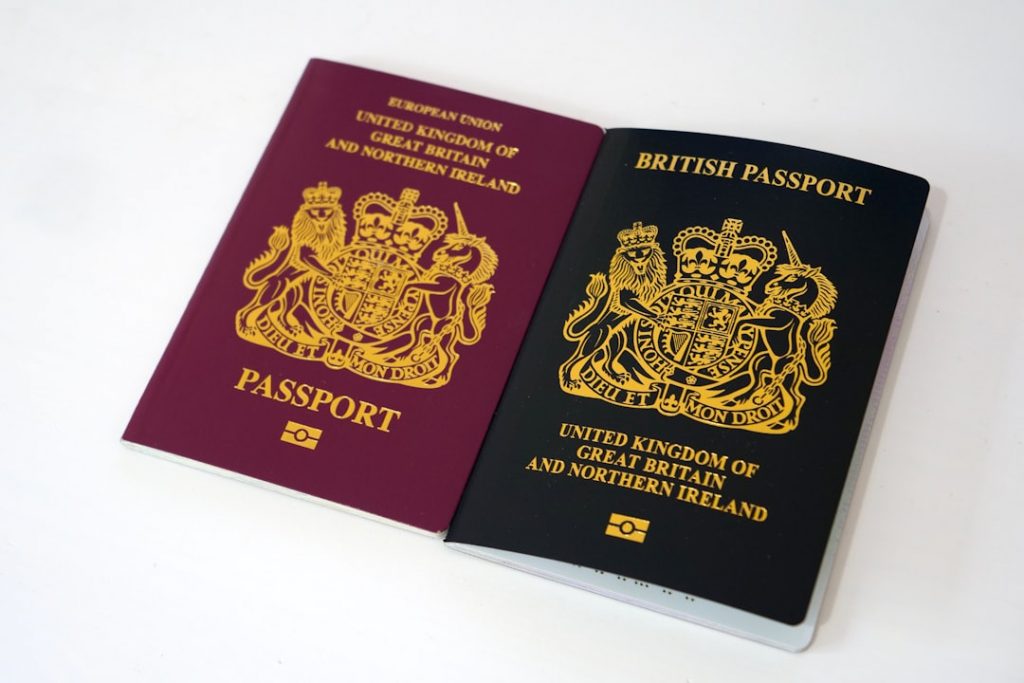
Unlock privacy-first visa document organisation with local AI
Keeping your Innovator Visa papers tidy feels like herding cats, right? You need a rock-solid ai document organizer that respects your privacy and works offline. Cloud tools promise structure suggestions and file naming, but they often skim over data control. Enter Torly.ai Desktop App, a local AI solution built to tag, sort and secure your visa files with the precision of a seasoned adviser. With this ai document organizer at your fingertips, your documents stay on your machine, not a distant server, giving you peace of mind alongside order.
In this comparison, we’ll explore cloud-based assistants and local processing. We’ll highlight how Torly.ai’s desktop application handles everything from folder hierarchy to gap analysis, transforming messy stacks into a clear roadmap for UK Innovator Visa approval. Ready for a smarter, more private way to organise your documents? Your AI document organizer and UK Innovator Visa Application Assistant
Why document organisation matters for your Innovator Visa
Applying for an Innovator Visa is more than ticking boxes. It demands:
- Comprehensive business plans
- Detailed market research
- Clear funding documents
- Strong proof of innovation
If these aren’t organised, you risk delays or outright refusal. A robust ai document organizer streamlines review and saves hours. Think of it as your digital filing clerk that remembers every rule the Home Office and endorsing bodies demand.
The complexity of Innovator Visa requirements
The Home Office sets a high bar for innovation and viability. You need to prove:
- Your idea is truly new and scalable.
- You have the experience and team to deliver.
- You can allocate at least £50,000 in share capital or funding.
- You’ve got contingency plans and financial projections.
Manually sorting PDFs, spreadsheets and invitation letters can be a nightmare. Miss one document, and you start the cycle again.
The role of an ai document organizer
An ai document organizer doesn’t just rename files. It analyses content, tags sections like “financials”, “team CVs” or “IP agreements”, and suggests where gaps exist. You maintain control, approving moves and edits locally. This context-aware approach ensures your visa pack tells a coherent story from pitch to execution.
Cloud-based solutions: what they offer and their limitations
Cloud platforms like GPT Workspace promise instant folder hierarchies and naming conventions right inside Google Drive. They’re handy for teams, with features gleaned from AI analyses.
Folder structure suggestions and naming conventions
These tools scan your Drive, then propose:
- Folder hierarchies by file type or date
- Standardised naming: “2024-03_InvestmentAgreements”
- Bulk tag suggestions for easy filtering
It’s frictionless initially. You click “apply” and watch your layout reshape itself.
Despite its convenience, this ai document organizer alternative relies on external servers and steady connectivity.
Security and privacy concerns
But where does your data go? Cloud assistants:
- Upload file metadata (and sometimes content) to external servers
- Rely on steady internet access
- May log usage for “improvement” or training
For visa docs, that’s a soft underbelly. You risk exposing sensitive IP or personal details.
Dependency on internet and vendor lock-in
Working offline? Forget it. No connection, no suggestions. Even worse, if the provider pauses service or hikes prices, you lose your helper. Your documents stay in Drive, but your organisation strategy vanishes.
Local AI with Torly.ai Desktop App: a secure, private approach
Torly.ai Desktop App brings AI to your workstation. No cloud-only mix. Everything happens locally, from document parsing to structure recommendation.
How local processing keeps your visa docs private
With Torly.ai’s desktop application, your files never leave your device. The app:
- Analyses PDFs, Word docs and images on your hard drive
- Generates folder structure plans in real time
- Assigns tags like “Finance”, “Tech Stack” or “Market Research”
No remote servers see your data. You control every byte.
Smart tagging, structuring and real-time feedback
Beyond file actions, Torly.ai acts as a visa readiness analyst. The platform:
- Identifies missing documents or sections
- Scores your business idea’s innovation against Home Office benchmarks
- Recommends strategic enhancements
This proactive feedback loop helps you plug gaps before submission. Plus, your ai document organizer responds instantly, even when you’re offline.
You can also Download BP Build Desktop APP for seamless plan generation and document syncing.
Or Get the TorlyAI Desktop APP to merge doc organisation with business-plan building.
Side-by-side comparison: Local AI vs Cloud Assistants
Choosing the right ai document organizer means balancing functionality and security. Here’s how Torly.ai stacks up against cloud-based options:
Privacy
– Local AI: Files stay on your device, encrypted at rest.
– Cloud AI: Metadata or content may travel to external servers.
Connectivity
– Local AI: 100% offline functionality.
– Cloud AI: Needs stable internet to fetch suggestions.
Custom feedback
– Local AI: Gap analysis tuned to Innovator Visa criteria.
– Cloud AI: Generic organisation tips without legal context.
Control
– Local AI: You approve every change locally before it’s applied.
– Cloud AI: Some tools automate moves across Drives.
This clear picture shows why a dedicated ai document organizer like Torly.ai Desktop App is ideal for entrepreneurs serious about privacy and precision.
Using Torly.ai to streamline your application
Getting started takes minutes:
- Install the desktop application.
- Point it to your visa folder.
- Watch as it analyses, tags and structures in seconds.
- Review suggested plans and approve changes locally.
Step-by-step visa document preparation
Each visa pack is unique. Torly.ai:
- Parses business plans for EB criteria
- Flags missing evidence, from incorporation docs to customer letters
- Generates checklists you can tick off
Interactive gap analysis and actionable roadmaps
Behind the scenes, specialised AI agents scrutinise your content:
- Business Idea Qualification agent checks innovation metrics
- Applicant Background Assessment agent reviews CVs and portfolios
- Gap Identification agent creates a custom improvement road-map
This holistic process means you catch potential issues early. No more frantic last-minute hunts for that elusive investor reference. Mid-way through your prep, you can also Discover the ai document organizer for Innovator Visa readiness and super-charge your workflow.
Want to draft your endorsement plan too? The TorlyAI BP Builder APP uses 6 AI agents across 31 skills to craft a visa-ready business plan.
Security and compliance: data protection at the centre
When choosing an ai document organizer, check encryption and audit trails. Torly.ai Desktop App:
- Keeps encryption keys on your device
- Offers granular permissions for folder access
- Logs all actions locally for audit purposes
You can even integrate with corporate VPNs and local firewalls. Compare that to cloud tools where you need to read lengthy privacy policies and hope nothing changes.
Community and continuous improvement
Your ai document organizer improves as the community shares insights. Torly.ai isn’t just software; it’s an evolving ecosystem. Users trade:
- Best templates for pitch decks
- Lawyer-vetted document checklists
- Insights on new Home Office rule changes
Partnerships with solicitors and endorsing bodies refine the AI’s predictive analysis. Each successful application feeds back into the system, boosting accuracy for the next entrepreneur.
What users say
“I had no idea how messy my visa folder was until Torly.ai snapped it into shape. The local AI feels like my personal immigration advisor.”
— Sophia Patel, Fintech Founder
“The gap analysis saved me weeks of back-and-forth. I filed a clean, compliant application and got my Innovator Visa within six weeks.”
— Alex Williams, HealthTech CEO
“I used cloud tools before, but I always worried about data leaks. With Torly.ai Desktop App, everything stays on my laptop. Perfect privacy.”
— Mauro Sánchez, Biotech Entrepreneur
Conclusion: choose the right ai document organizer for your Innovator Visa
Your Innovator Visa journey deserves more than generic cloud suggestions. You need an ai document organizer built for privacy, precision and UK Home Office compliance. Torly.ai Desktop App checks every box, from smart tagging to real-time feedback, all while keeping your data on your desk.
Stop juggling scattered files and start preparing confidently. Start your journey with our ai document organizer today
