
Torly.ai · June 25, 2026
Troubleshooting AI Autopilot Disconnects in UK Innovator Visa Applications
Learn proven solutions to fix AI autopilot disconnect issues and keep your UK Innovator Visa application on track.

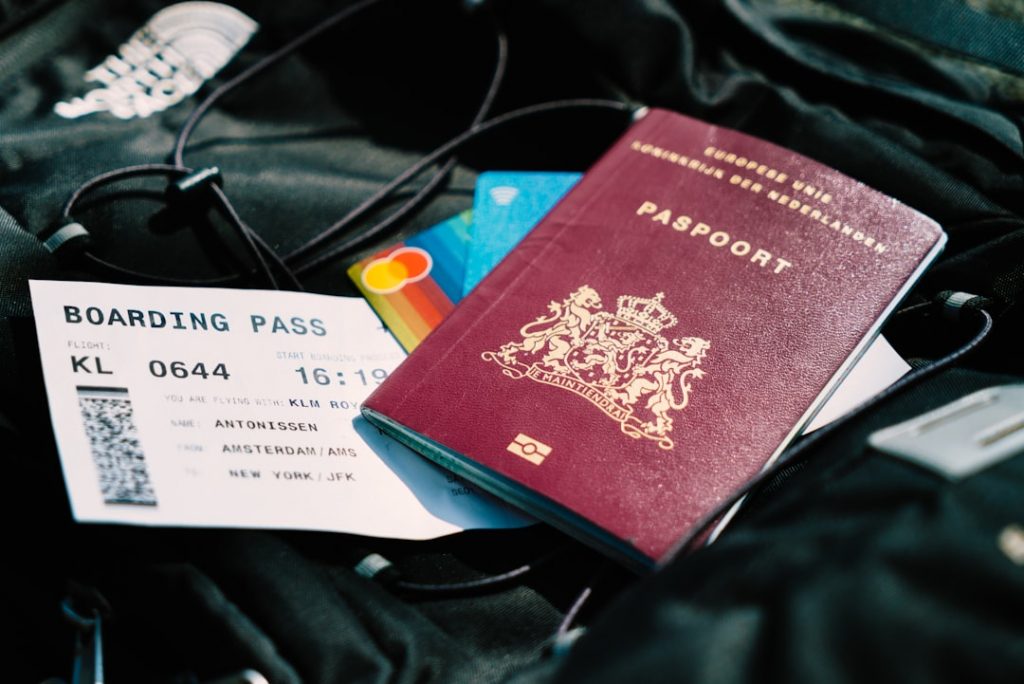
Smooth Sailing Through Your Autopilot Visa Application Storm
Applying for a UK Innovator Visa can feel like navigating a turbulent sky. Your AI autopilot assistant is supposed to keep you on course, but sudden disconnects can send you into a spin. Whether it’s a glitch in document validation or a network hiccup, these issues waste time and stress you out. In this guide, you’ll learn clear, actionable fixes for your Autopilot Visa Application hiccups, so you can keep your application flying straight.
We’ll cover:
– Common causes of autopilot disconnects
– Step-by-step troubleshooting
– Advanced tips to optimise stability
Ready to regain control? Autopilot Visa Application: AI-Powered UK Innovator Visa Assistant seamlessly reconnects when you need it most.
Common Causes of Autopilot Visa Application Disconnects
Before diving into fixes, it helps to know why your AI assistant might disconnect mid-flight. Here are the top culprits:
• Network interruptions
• Outdated endorsement or visa criteria
• Misconfigured applicant profile
• Overloaded system requests
• Device calibration (time settings, region mismatch)
Just like in a flight sim where trim and calibration affect autopilot behaviour, your visa assistant needs precise inputs. A tiny error—wrong date format, missing page in proof of funds—triggers sudden disconnects, akin to a jolt in pitch on approach.
Understanding these root causes will help you fix the issue fast and avoid another stall.
Troubleshooting Steps for Your Autopilot Visa Application
Let’s get your application back on track in five clear steps:
-
Check Your Connection
• Ensure stable internet or switch to Ethernet/Wi-Fi
• Pause other large transfers (uploads, streaming) -
Validate Your Documentation
• Use the Torly.ai BP Builder APP to cross-check documents
• Look for missing endorsements or incorrect dates
• Trim down unnecessary files to speed up uploads -
Synchronise Time and Region Settings
• Confirm your device clock matches UK timezone (BST/GMT)
• Set region to the UK for date & currency formatting -
Refresh Your AI Session
• Log out and back in to clear session cache
• Let Torly.ai rerun its multi-layered assessments -
Engage Manual Review
• Use Torly.ai’s “spot check” feature for high-risk sections
• Tag queries and get quick expert support
If you’re still seeing error codes or sudden drops, try trimming your input size. Just as pilots fine-tune the trim until the “purple indicator” vanishes, remove attachments until the system stabilises.
Looking for a desktop boost? Build your Business Plan NOW with our Desktop APP
Advanced Tips to Optimise Your Autopilot Visa Application Flow
Once you’ve nailed the basics, these tactics will keep your Autopilot Visa Application flying smoothly:
• Use Batch Mode
Group similar tasks—like document uploads—in one go. Less switching, fewer disconnects.
• Leverage Real-Time Alerts
Enable notifications in Torly.ai. Get prompts if a rule changes or a document nears expiry.
• Adjust API Throttling
If you integrate Torly.ai via API, set your calls to moderate rates. Too many requests trigger disconnects.
• Implement Retry Logic
Automate re-submission for non-critical files. Let the system retry without manual clicks.
• Maintain a Clean Profile
Archive old drafts and unused business plans. Lean profiles load faster.
Once you apply these tweaks, you’ll see fewer sudden drops. Your AI helper never misses a beat.
Ready for endorsement-level precision? Build your Endorsement-ready business plan with TorlyAI BP Builder APP
Mid-Flight Reset: Reinforce Your Autopilot Visa Application
Halfway through the process, a quick reset often solves lingering glitches. Simply close your browser tab, restart Torly.ai Desktop, and let it re-initialise your data. In most cases, this clears cached errors and re-establishes a stable session.
These micro-resets act like a trim check before descent. You’ll reduce the chance of last-minute jolts and stay on schedule.
Experience our Autopilot Visa Application Assistant and keep your application centre-line even in choppy conditions.
Preventative Measures for Future Applications
You can avoid many disconnect issues before they even occur:
• Keep Torly.ai Updated
New versions plug security holes and improve stability.
• Document Version Control
Label each file with a clear timestamp or version number.
• Weekly Dry Runs
Simulate the full process: eligibility, document prep, endorsement checks.
• Community Insights
Join the Torly.ai user forum to learn fresh tips and share fixes.
By following these practices, your next Autopilot Visa Application will glide through with ease.
Final Thoughts and Next Steps
Disconnects in an AI-powered visa process can throw you off course. But with the right checks—network, document validation and calibration—you’ll be back in the pilot’s seat in minutes. Torly.ai’s suite of tools, from the Desktop APP to the BP Builder agents, makes each step bullet-proof.
Elevate your UK Innovator Visa journey. Master your Autopilot Visa Application with AI support. Master your Autopilot Visa Application with AI support
Clear skies ahead, and happy landing on that UK Innovator Visa.
